Make every pre-flight decision feel stress-free
Over six months, we redesigned the safety-critical Load Instruction Report (LIR) workflow, helping pilots distribute and secure baggage, cargo, and containers while keeping every flight within safe weight and balance limits.
62%
faster HCC workflow
10–12 min → 3–5 min
92%
on-time performance
on peak traffic days
<6 mo
from research to delivery
after a year of delays
AESA
certified solution
operationally validated
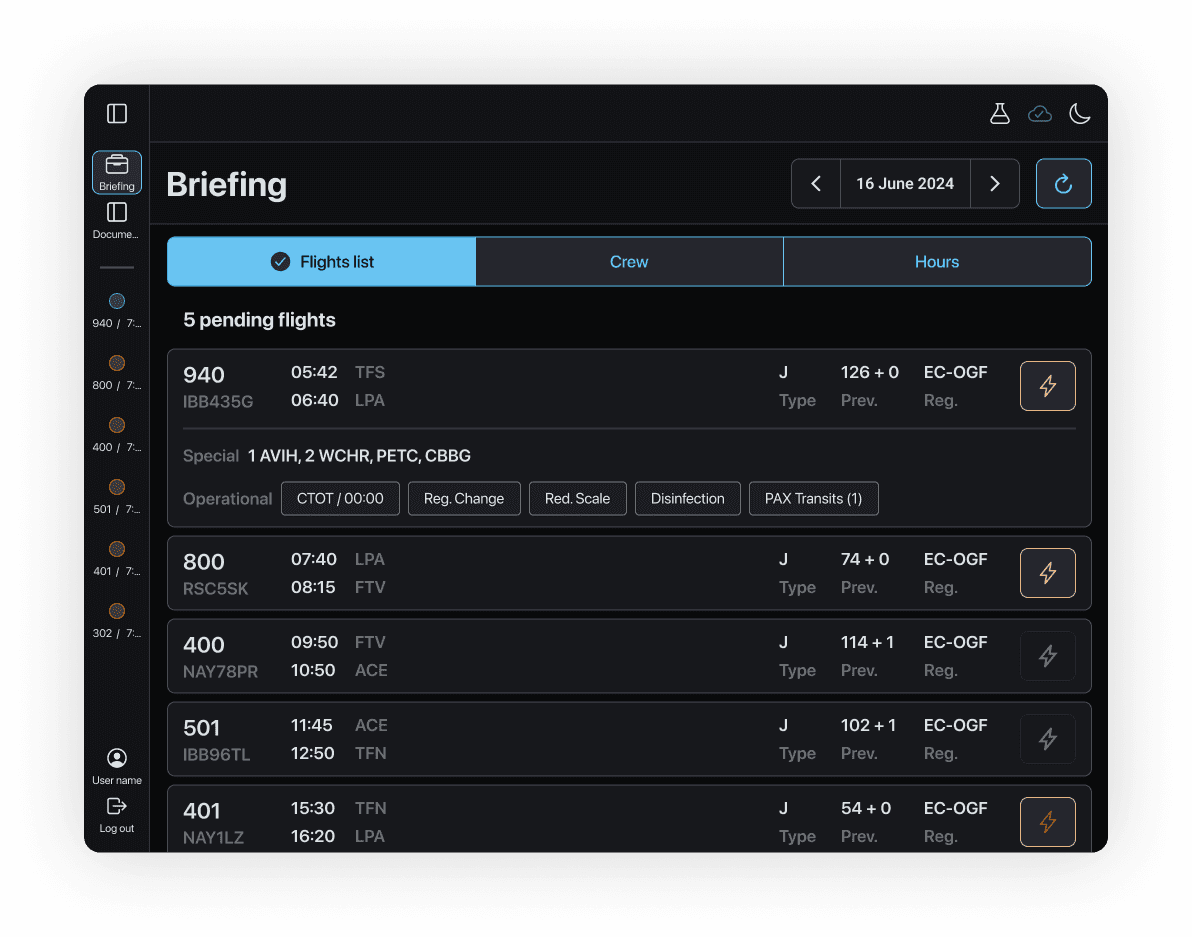
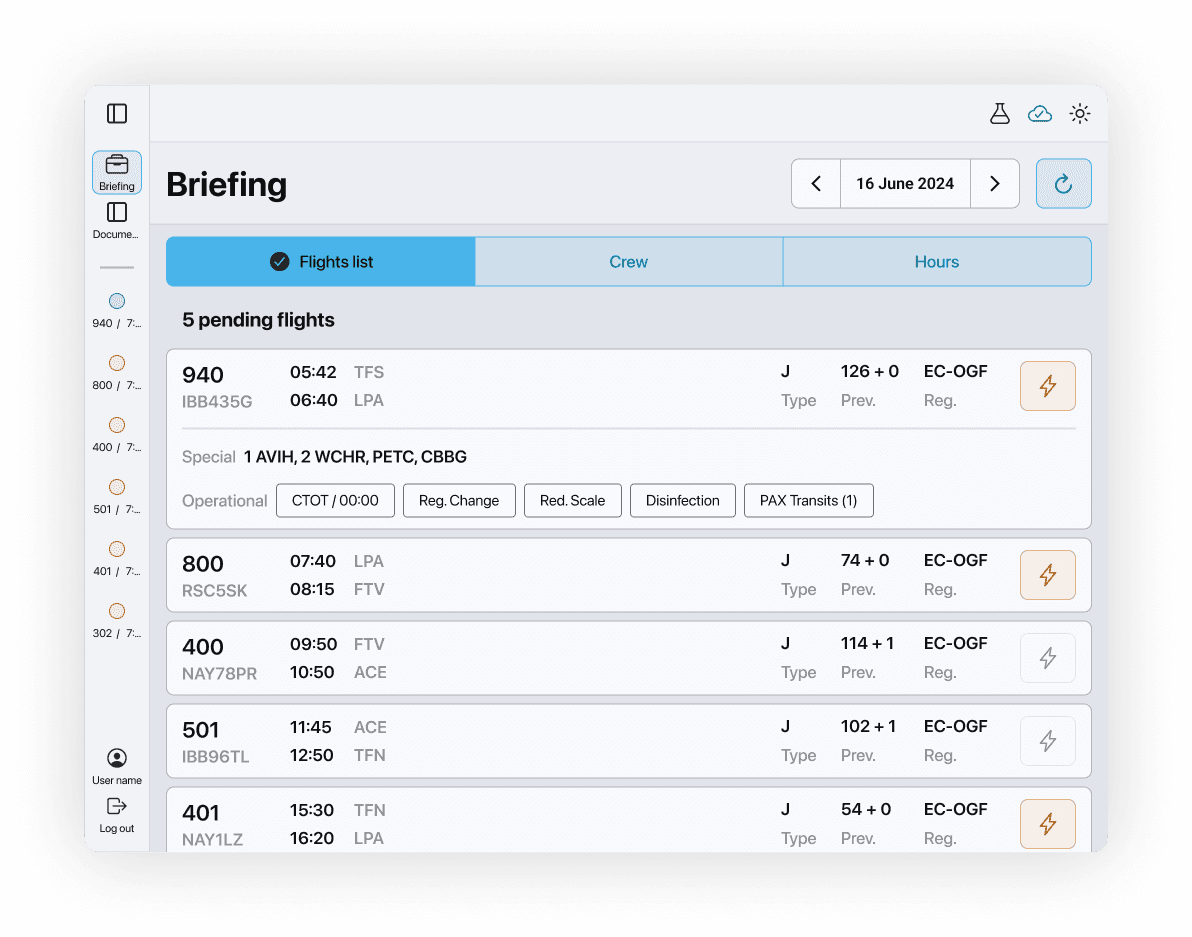
01
THE ASSIGNMENT
Pilots were piecing together a critical safety calculation across fragmented tools while working against tight turnaround times.
Problem
Slow, fragmented and error-prone Load & Trim preparation.
My role
Led research, workflow definition, interaction design and validation.
Team
Pilots, operations, engineering and compliance stakeholders.
Contrains
Speed up the workflow without compromising regulatory traceability.
02
WHAT WAS BREAKING
The old interface mirrored the database.
Pilots needed it to mirror the job.
Three issues repeatedly increased cognitive load in the cockpit.

01
No clear starting point
Critical actions competed for attention, so pilots had to reconstruct the next step from memory.
02
Actions lost their context
Fields and controls were separated from the information they changed, slowing verification.
03
The flow fought the mental model
The sequence followed system logic rather than the real pre-flight routine.
03
RESEARCH IN CONTEXT
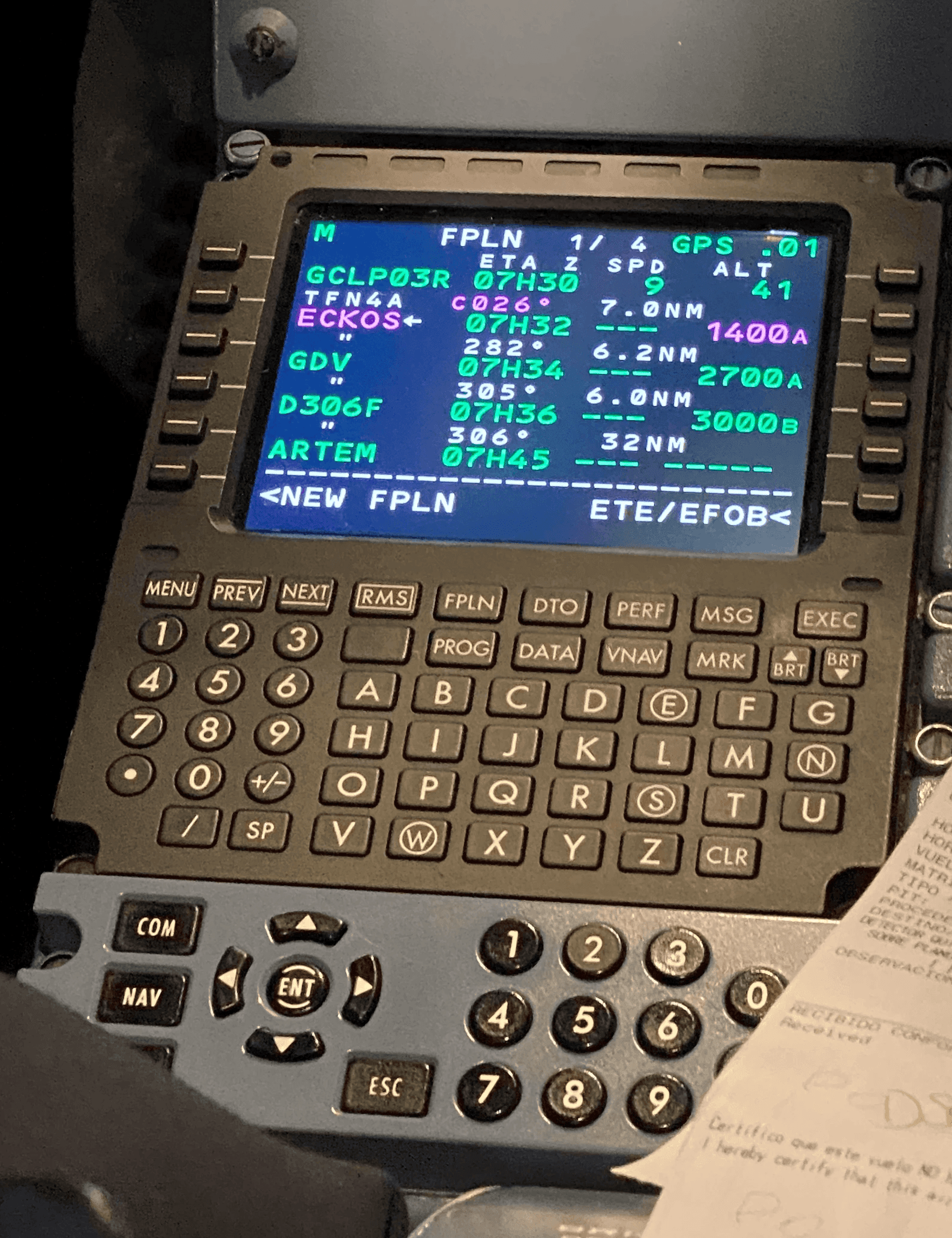
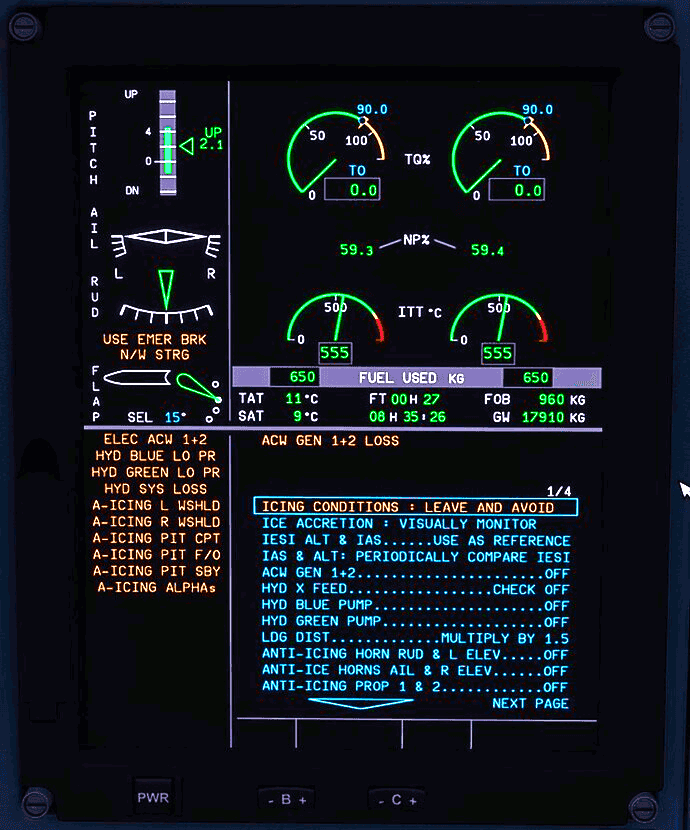
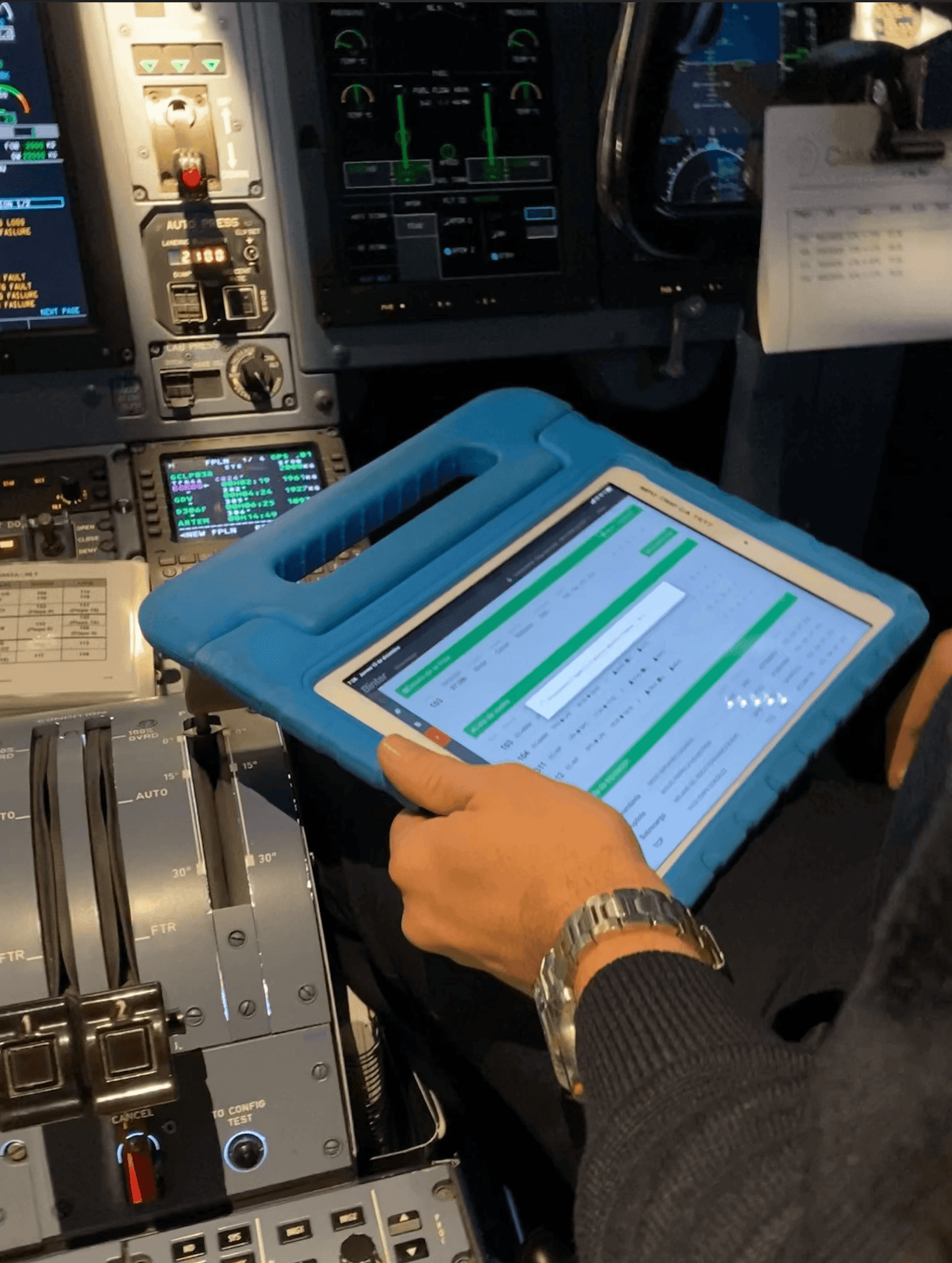
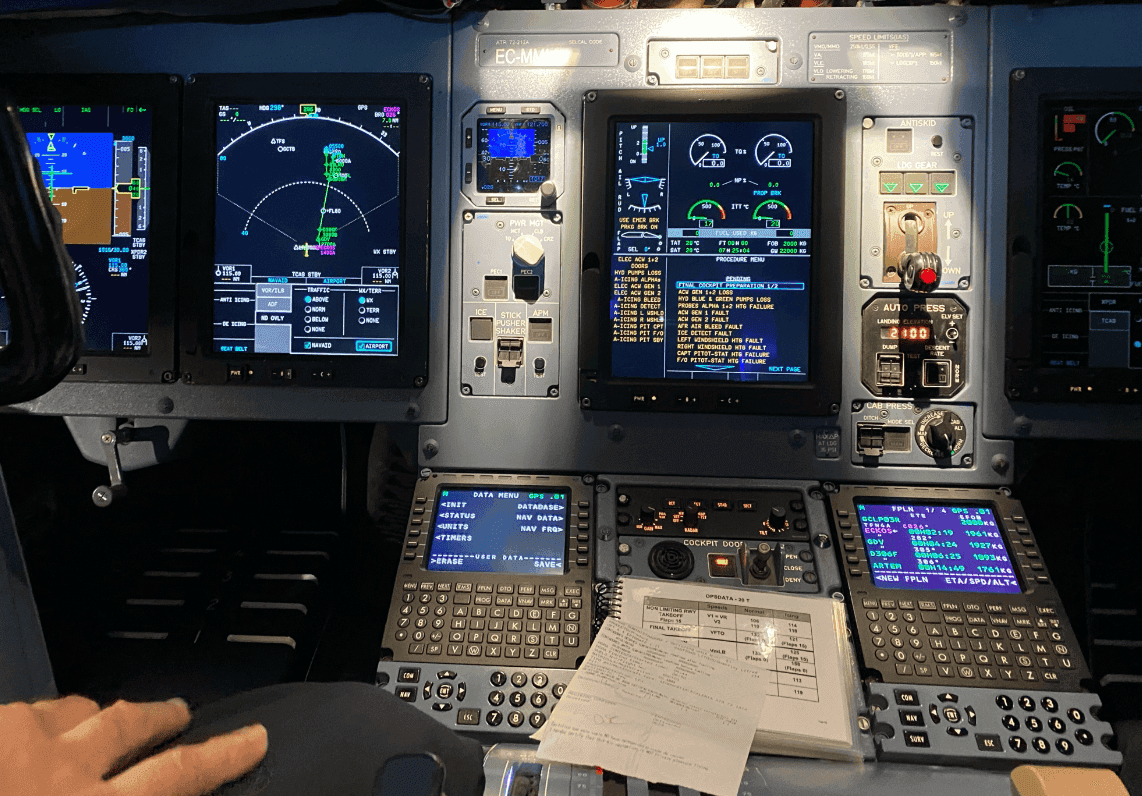
We left the meeting room and followed the work.
For one week, I flew alongside pilots and observed the workflow where it actually happened. Interviews with captains, copilots and technicians were paired with simulator testing and continuous compliance reviews.
FIELD RESEARCH
Moments during the observation session aboard the aircraft
1 week
Cockpit shadowing
3 perspectives
Captains, copilots, technicians
Realistic context
Simulator usability testing
Continuous
Technical and EASA review
04
FROM INSIDE TO PRINCIPLE
01
Observation
Under time pressure, search time becomes operational risk.
Product principle
Make the next action unmistakable.
02
Observation
Cockpit conditions change how people scan, tap and verify.
Product principle
Design for the environment, not the desk.
03
Observation
Compliance and usability cannot be resolved separately.
Product principle
Build human validation into the flow.
05
REFRAMING THE WORKFLOW
From fragmented tasks to one guided operational sequence.
The structure now follows how a crew prepares the aircraft — with status, validation and recovery visible at every stage.
Existing cockpit model
Research-informed model
PILOTS’ EXISTING INTERACTION MODEL
Search · reconcile · re-enter · verify
Flight data
PDF forms
Signature
HCC tool
Crew list
Refresh data
06
PRODUCT PROTOTYPE
One calm surface for every pre-flight decision.
The concept prioritises readiness, exceptions and the next action. Explore three core moments, switch device size and preview the interface in day or night mode.


01
Progressive disclosure
Summary first; detail appears only when a pilot needs to inspect or change it.
02
Operational state over decoration
Every colour communicates readiness, attention or an actionable exception.
03
Resilient by default
Visible sync status and saved local state support unreliable connectivity.
07
VALIDATION LOOP
Design, simulate, adjust, certify.
Every interaction was reviewed against realistic operational conditions and technical constraints — not only against a static design file.
01
Observe the real task
Cockpit workflow and exception handling
02
Prototype the sequence
Role-specific flows across iPad and desktop
03
Test under pressure
Simulator sessions with operational scenarios
04
Review for compliance
Continuous technical validation toward AESA certification
08
OUTCOME
A faster workflow was the visible result. The deeper shift was giving every role one trusted version of operational readiness.
3 – 5
minutes to complete HCC
Previously 10–12 minutes
92%
punctuality on peak days
Including Fridays and Sundays
<6
months to full delivery
After more than a year of delay
Certified by AESA
Impact figures supplied by the project team and shown with their original project context.
09
WHAT I LEARNED
In safety-critical products, clarity is not a layer of polish. It is part of the system.
Field research built the trust needed to uncover the real workflow — including the workarounds that never appeared in requirements.
Translating regulation into human-centred interaction required design, engineering and compliance to work as one team from the start.
My biggest takeaway: a strong interface reduces not only task time, but the uncertainty people carry while doing the task.
Let’s connect
Thanks for reading! If you’re hiring, collaborating, or just curious about my work — feel free to drop me a line. I’d love to hear from you.
Automating Settlement, Reducing Risk
B2B · Sports betting · Operations

©
2026
David Gopar
Mobile version coming soon
🧑💻 Oops, no mobile magic yet
This portfolio is best viewed on a larger screen—for now!
Between projects, parenting, and the daily rush, I haven’t had time to build the mobile version yet.
Thanks for your patience and for stopping by anyway!
I swear I’m working on it… right after I finish this project, feed the kid, answer 27 emails, and maybe sleep a bit.
Until then, try visiting from a bigger screen. It’ll be worth it—I promise!